Feature
Your data leaves in one tap.
No lock-in.
CSV, Excel, and PDF — the formats your client, your CAD tech, or your own report template already expects. One export action, one ZIP, everything a survey produces.
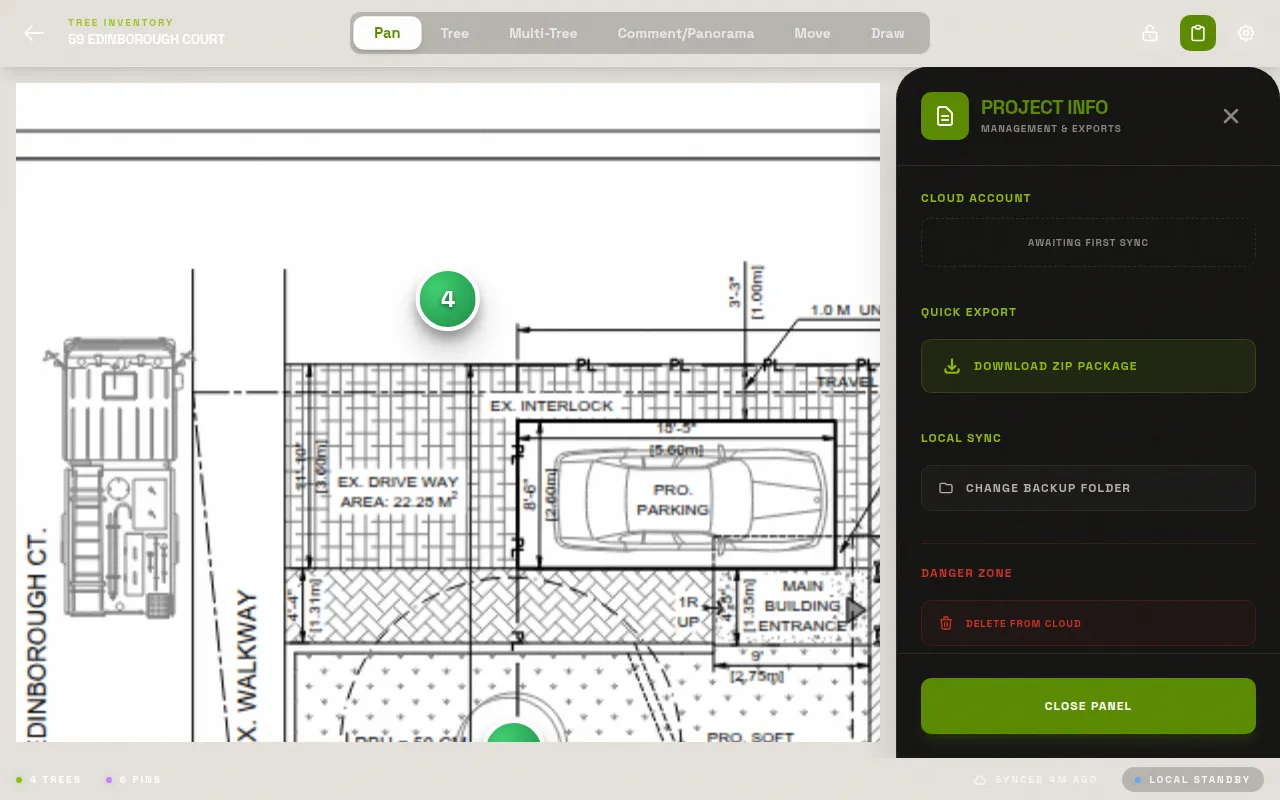
Exactly what's in the ZIP
data.json — machine-readable full export
data.csv — spreadsheet-friendly tree table
data.xlsx — Excel workbook
Summary.pdf — cover-sheet PDF summary
Map_Original_<filename>.pdf — your original uploaded site plan
Map_Annotated_<filename>.pdf — the plan with tree-number pins baked in
images/ — every photo, named by tree number
manifest.json — counts and a record of what's included
The ZIP downloads with the project name in the filename, non-alphanumeric characters swapped for underscores, followed by _export.zip. The annotated map and photo folder only appear if a plan PDF and photos actually exist for that project — an empty project doesn't produce empty placeholder files.
Spreadsheet columns match your record
CSV and Excel columns mirror the field labels exactly — Species, DBH, Condition, Crown Diameter (m²), Risk Rating, Appraised Value ($), and so on. No relabeling, no guessing what a column abbreviation means six months later when someone else opens the file.
The manifest tells you what's inside
manifest.json lists total trees, panoramas, expected versus included photos, and any photos that failed to make it into the ZIP — so you know before you send it to a client whether something's missing, instead of finding out from them.
What export doesn't do — yet
There's no CSV or Excel import. LogLog gets your data out; it doesn't read a spreadsheet back in. If you're migrating from another tool, that data gets re-entered by hand, once, and then it's yours in LogLog going forward.
There's no DWG or shapefile export today, so a straight CAD or GIS handoff isn't there yet — the annotated PDF is a solid intermediate artifact for a CAD tech to trace over, but it's a PDF, not a vector file with coordinates baked in.
Photos, folder-organized automatically
Every photo in the ZIP lands under images/, named by tree number and photo index — Tree-014_photo1.jpg, Tree-014_photo2.jpg, and so on. Multi-stem and panorama photos carry their own prefix, so anyone opening the folder can tell what a file documents without opening it.
One export, every time you need one
There's no limit on how often you export a project. Run it mid-survey for a client check-in, again at the end for the final deliverable, again a year later if a re-inspection updates the record — each export reflects exactly the data in the project at that moment.
Compiling a spreadsheet by hand, digging up the marked-up plan, renaming camera-roll photos one at a time, then zipping it all together for email — that's an hour of desk work stacked on top of a full day in the field. LogLog collapses that into one tap: the ZIP is client-ready before you've left the driveway.
A cover sheet, not just raw data
Summary.pdf is a plain cover sheet — the kind of thing you can attach to an email or drop at the front of a longer report without building one yourself from the spreadsheet. It's not a substitute for a full narrative arborist report; it's a quick-reference summary of the survey that gives whoever opens the ZIP a sense of scope before they dig into the full data.csv or data.xlsx file. Between the summary PDF, the annotated plan, and the raw spreadsheet, most client needs are covered without a separate report-writing pass.
Curious what feeds each column? Seetree data fields. Weighing LogLog against a general-purpose form tool? ReadFulcrum vs. Survey123 vs. LogLog.
data.json, for anyone who wants to script against it
Alongside the human-readable CSV and Excel files, data.json is the machine-readable full export — every field, every tree, in a structured format a developer on your team or a downstream tool could read programmatically. Most arborists will never open this file directly, but it's there if your workflow needs something more structured than a spreadsheet to build on.
Export happens on your device, not a server queue
There's no "we'll email you the file in ten minutes" processing delay. Export runs right there in the app and the ZIP is ready to download or share the moment it finishes — a matter of seconds for a typical survey, not a wait while a server somewhere generates a report on your behalf.
See your first export.
Run a real survey and see what actually lands in the ZIP. Free forever for solo arborists.